python使用vscode debugpy断点调适
安装库
uv add debugpy
项目根目录中新建以下文件
- .vscode/launch.json
- .vscode/settings.json
.vscode
|-- launch.json
`-- settings.json
.vscode/launch.json
windows
{
 // 使用 IntelliSense 了解相关属性。
 // 悬停以查看现有属性的描述。
 // 欲了解更多信息,请访问: https://go.microsoft.com/fwlink/?linkid=830387
 "version": "0.2.0",
 "configurations": [
     {
         "name": "Python 调试程序: 当前文件",
         "type": "debugpy",
         "request": "launch",
         "program": "${file}",
         "console": "integratedTerminal",
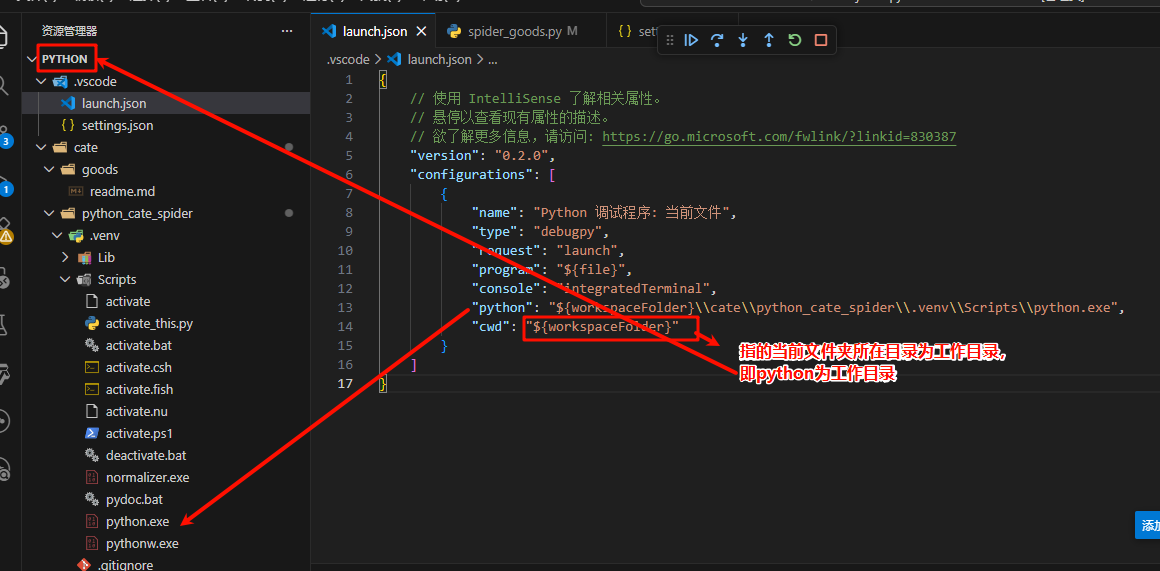
         "python": "${workspaceFolder}\\cate\\python_cate_spider\\.venv\\Scripts\\python.exe",
         "cwd": "${workspaceFolder}"
     }
 ]
}
macOs
{
 // Use IntelliSense to learn about possible attributes.
 // Hover to view descriptions of existing attributes.
 // For more information, visit: https://go.microsoft.com/fwlink/?linkid=830387
 "version": "0.2.0",
 "configurations": [
     {
         "name": "Python Debugger: Current File",
         "type": "debugpy",
         "request": "launch",
         "program": "${file}",
         "console": "integratedTerminal",
         "python": "${workspaceFolder}/cate/python_cate_spider/.venv/bin/python",
         "cwd": "${workspaceFolder}"
     }
 ]
}
.vscode/settings.json
- windows
{ "python.defaultInterpreterPath": ".venv\\Scripts\\python.exe", "python.terminal.activateEnvironment": true, "python.terminal.activateEnvInCurrentTerminal": true } - macOs
{
 "python.defaultInterpreterPath": ".venv/bin/python",
 "python.terminal.activateEnvironment": true,
 "python.terminal.activateEnvInCurrentTerminal": true
}
项目结构
$ tree
.
|-- .vscode
|   |-- launch.json
|   `-- settings.json
`-- cate
    |-- goods
    |   `-- readme.md
    `-- python_cate_spider
        |-- README.md
        |-- category_images
        |   |-- 3995fae819a94bcd9d47857aeaf065bb.png
        |   |-- 3ec2ad1ff43f4245b2e1c783a6f0bb51.png
        |   |-- 5a810c9c794b433490c9e98f47984048.jpg
        |   |-- 693f1e53763547bd916b8a54c47a4759.png
        |   |-- 895d71183cd0467f82299731d1539be2.jpg
        |   |-- 8dea6ce0c4914fdba3048fce1737e154.png
        |   `-- 9bb728510242400a822a21359c60ca70.png
        |-- main.py
        |-- pyproject.toml
        |-- spider.txt
        |-- spider_goods copy.py
        |-- spider_goods.py
        `-- uv.lock

4 directories, 15 files
windows下的launch.json配置
mac下的settings.json配置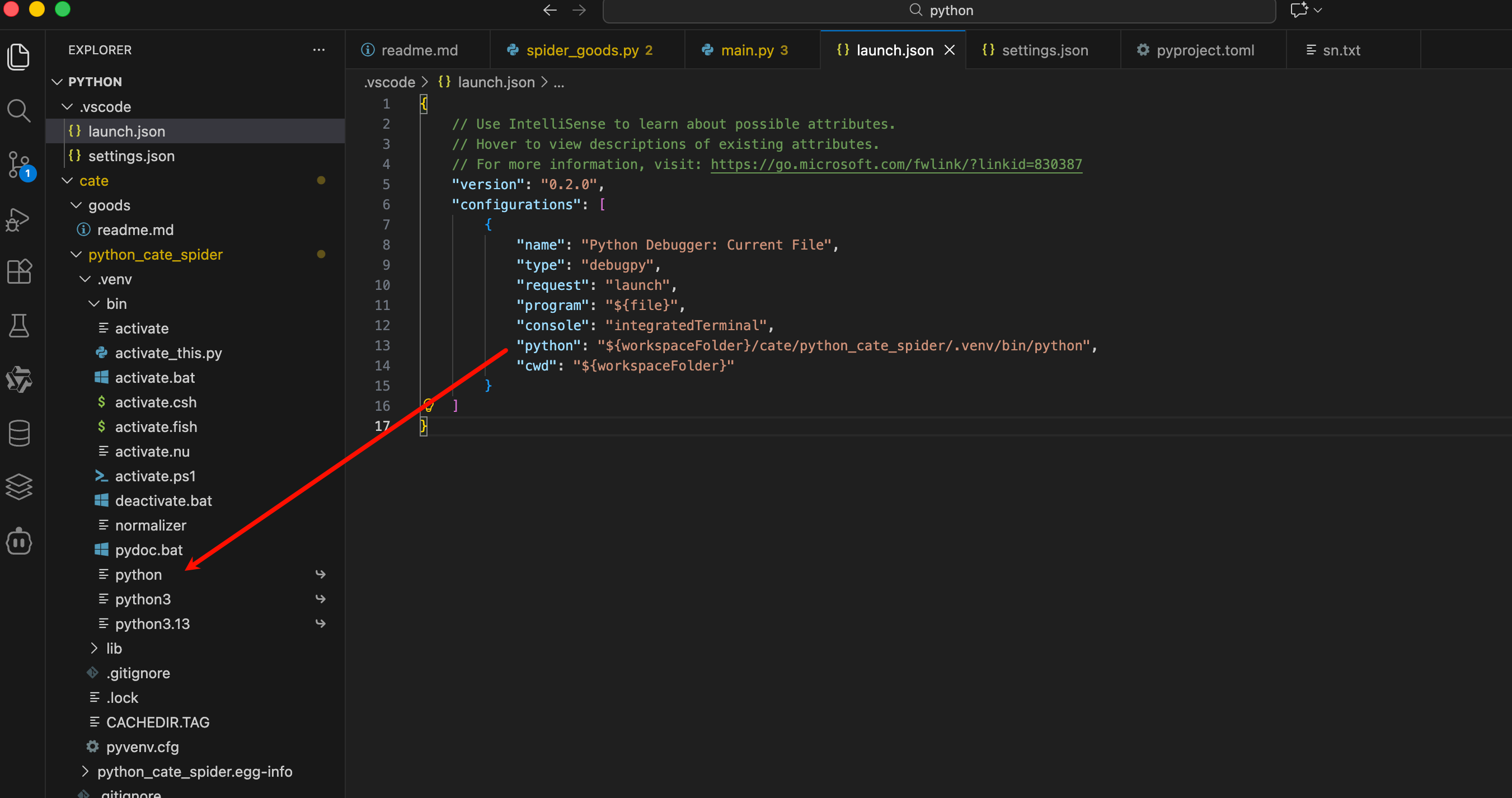
mac下的settings.json配置
打断点后在debug扩展中debug运行即可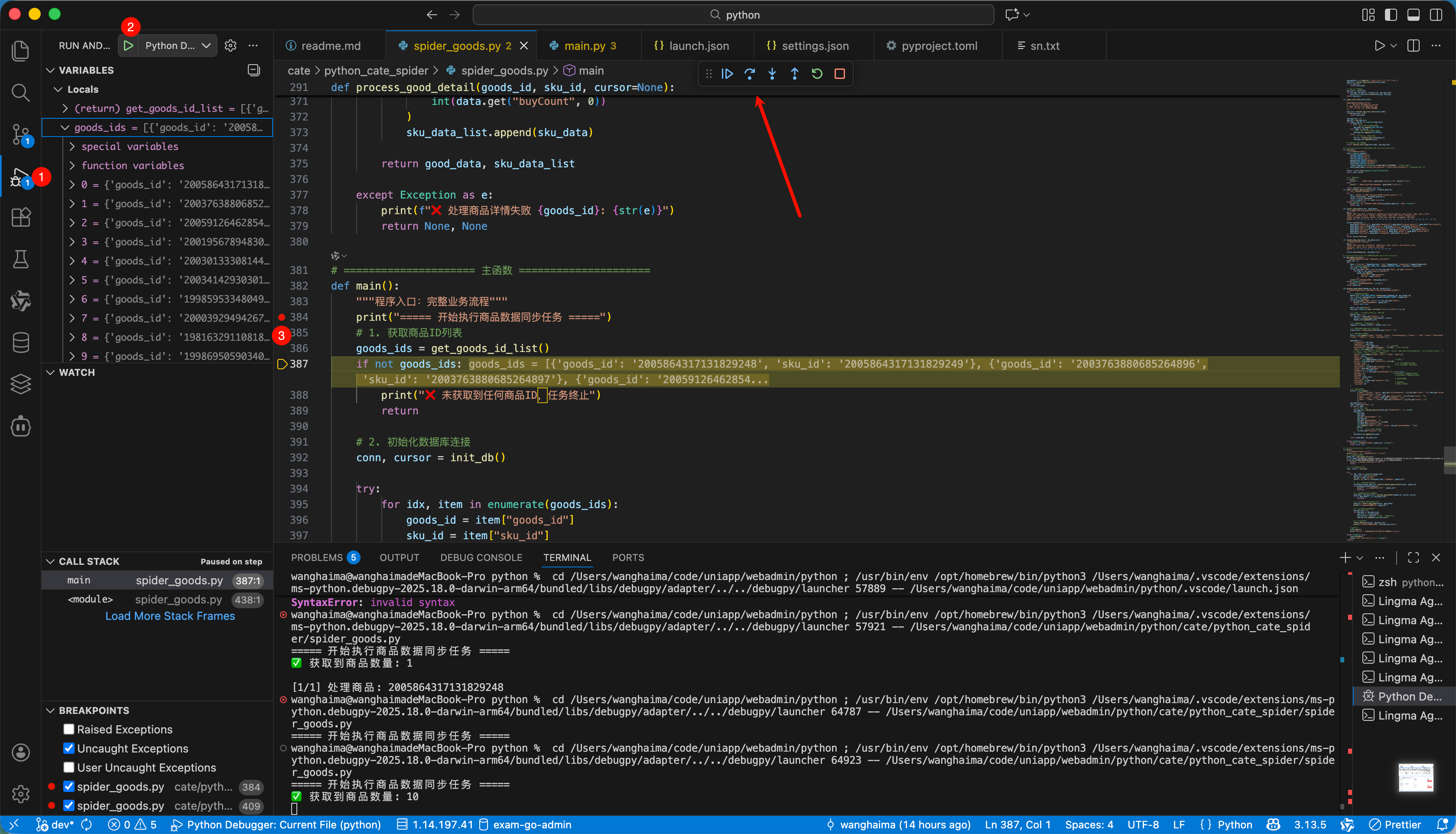
最后编辑: 海马 文档更新时间: 2026-02-10 17:26 作者:海马